Free on iPhone · Built for PCC

Eat at PCC
with intention.

Campus menus, AI photo logging, and Apple Health — all in one place, so you can stop guessing and start knowing.

Scroll
Live campus menus Updated every day
AI photo logging Snap a plate, get estimates
Apple Health sync Goals that adjust to you
Campus Dining

No more guessing what's on the menu.

Every meal served at Four Winds, Varsity, and Grab N Go is pulled in daily and ready to log. You can see calorie counts and protein before you even pick up a plate.

If you'd rather just take a photo, AI can estimate your portions based on what's actually being served that day.

Four Winds, Varsity, and Grab N Go Browse by meal — Breakfast, Lunch, Dinner AI plate photo estimation
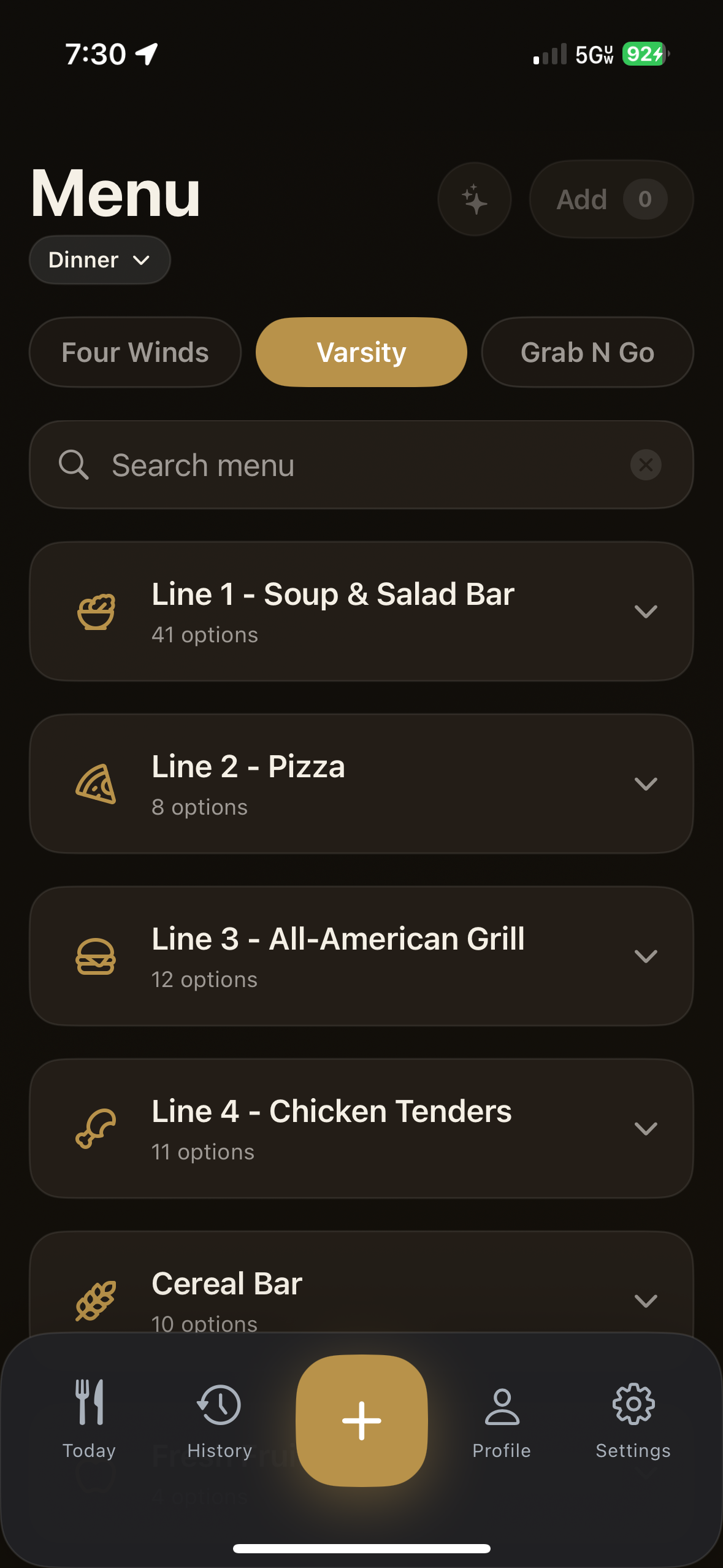
Campus dining menus screen
Daily Dashboard

Know where you stand, right now.

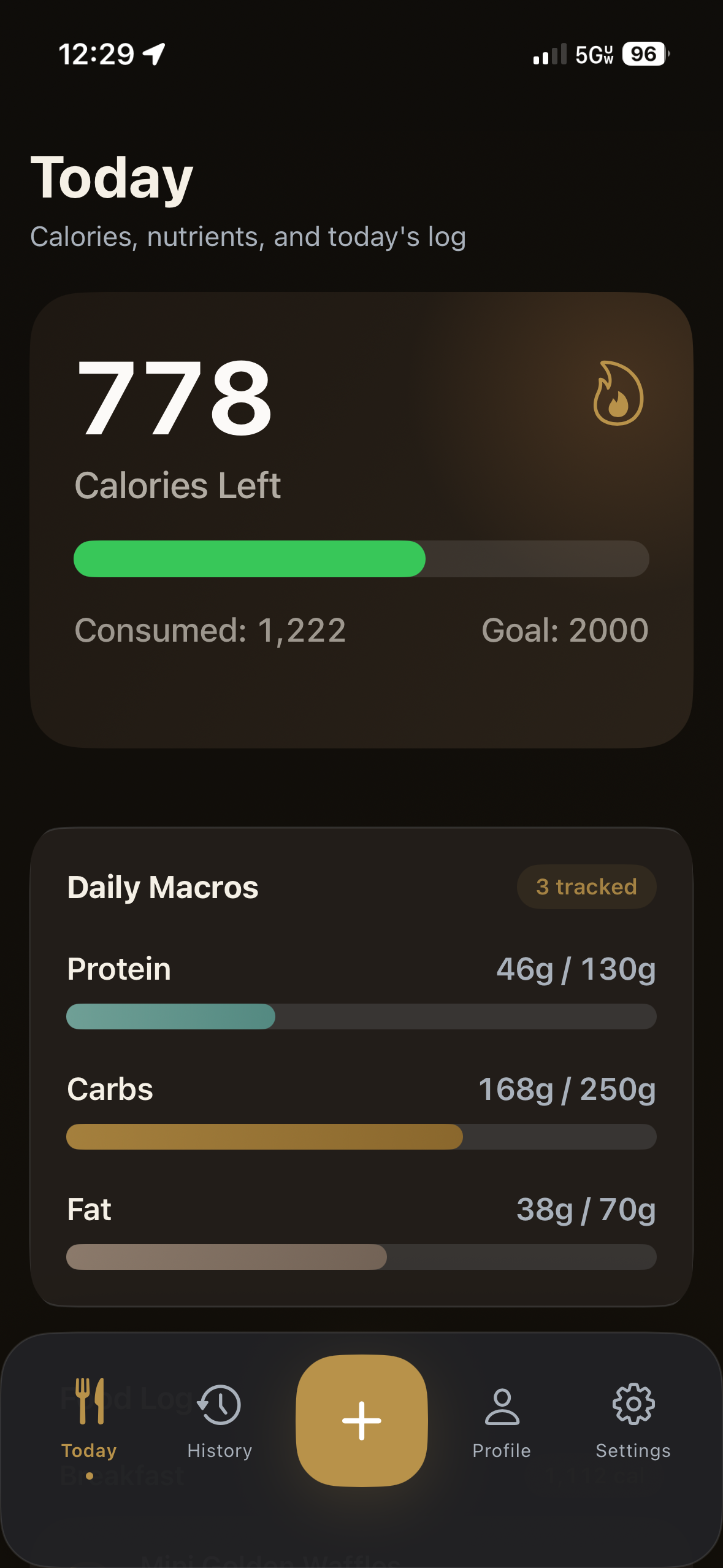
Your Today view shows calories left, what you've eaten, and how your macros are tracking — all updated as you go. Simple, clear, no noise.

Your daily calorie goal shifts automatically based on how active you've been, pulled from Apple Health so it always reflects your actual day.

Calories consumed and remaining Protein, Carbs, and Fat at a glance Goals that adjust to your activity
Today calorie dashboard
Ways to Add Food

Log food the way that fits your moment.

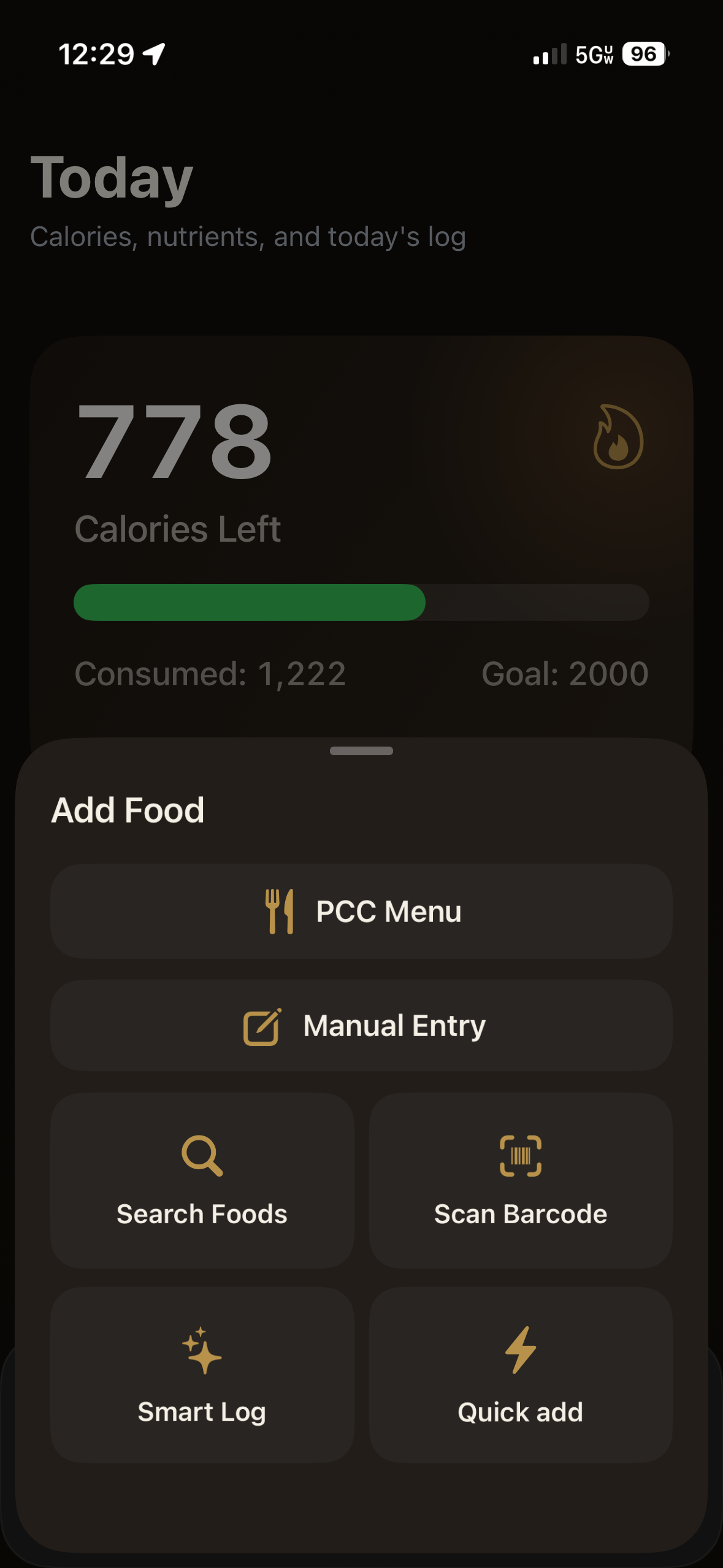
Use the add flow to quickly switch between PCC Menu, manual entry, food search, barcode scanning, and one-tap quick add.

When you need speed, you can jump into whichever input method is fastest instead of forcing everything through one screen.

PCC Menu, Manual Entry, Search, Barcode, and Quick Add Built for both quick logging and detailed tracking All options in one place from the Add flow
Add Food options screen
History & Trends

Patterns are easier to spot than you'd think.

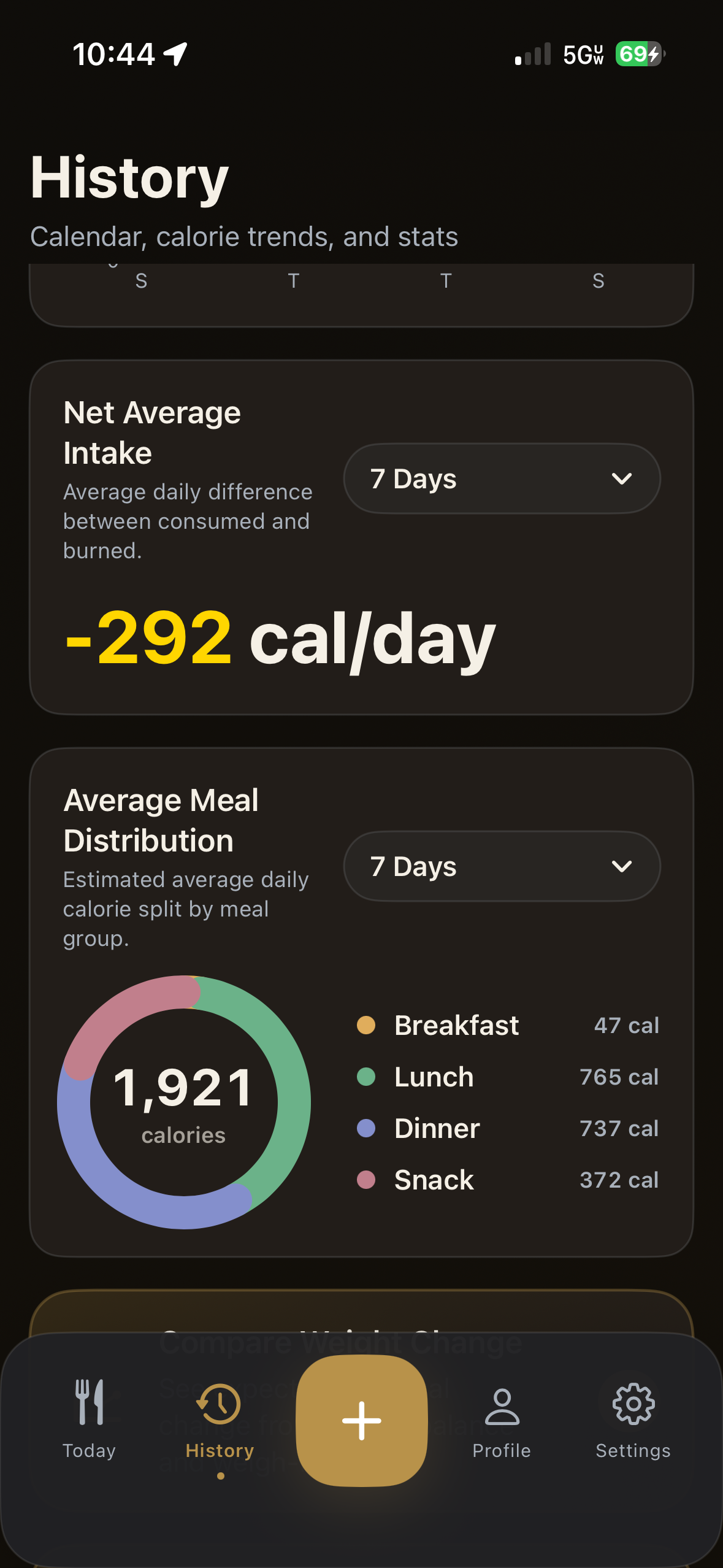
Pull up the last 7 days or the last 2 years. See your average intake, how your meals split across the day, and whether you're actually moving in the right direction.

Everything stays on your device. If you want it on your other Apple devices too, iCloud sync takes care of that quietly in the background.

7 days to 2 years of history Meal distribution by type Stays private, on your device
History summary screen

A few more things worth knowing.

For when you're eating off campus, or just can't find it in the dining menu.

Barcode Scanner

Scan any packaged food and the nutrition info fills in automatically. Good for snacks from your room or off-campus runs.

USDA Food Search

Search millions of foods by name. Useful when you're cooking for yourself or eating somewhere the menus don't cover.

No Account Needed

Download it and use it. No email, no password, no subscription. Your data is yours, kept locally unless you choose to sync.

Free on iPhone

Ready when
you are.

No account. No subscription. Just download and start.

Download on App Store

Requires iOS 16 or later · iPhone